PLAY MORE. FEEL MORE.

AI music creation for iPhone and iPad.

Create songs and music videos that feel like you. Turn ideas into songs, explore a new mix, and put yourself in a music video with MUVO for iPhone and iPad.

Free to download. Free drafts. Credits for creation. Made for personal sharing.

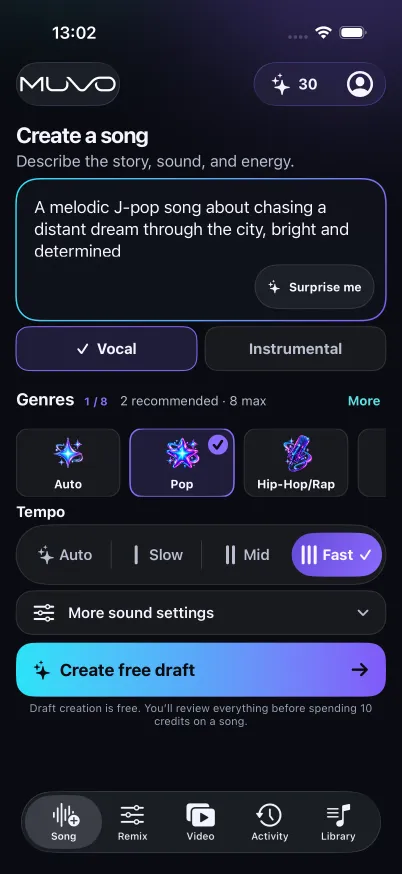
MUVO Create a song screen with a description, genre choices, tempo, and Create free draft action
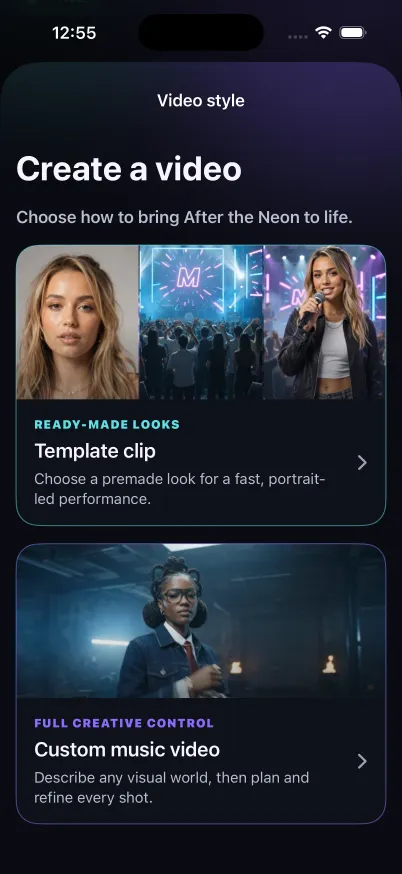
MUVO Video style chooser with Template clip and Custom music video options
An idea is all you need to start.

MADE WITH MUVO

Hear the idea. See it come to life.

Press play on original songs and music videos generated by MUVO. These are demo excerpts; every new creation is different.

The videos use synthetic demo avatars supplied as inputs.

Create yours

CUSTOM MUSIC VIDEO · 28 SEC

Satellites in the Rain

Cinematic alt-pop · Male vocal

Listen to the source song

The idea, lyrics & scene

Video input

A cinematic rainy-city music video about finding connection across the night, shifting from midnight blue to warm amber.

A fictional performer sings in a midnight-blue city. Rainy streets and reflections lead into a warm amber close-up.

We are satellites in the rain Shining bright through the mist and pain Spinning close in the quiet space Finding home in a cold embrace Yeah, we are satellites in the rain
TEMPLATE CLIP · 20 SEC

Electric Morning

Pop / house · Female vocal

Listen to the source song

The idea, lyrics & scene

Video input

The Electric Morning chorus + a synthetic demo avatar. Rooftop Sunset · 20 seconds · Lyrics off.

A fictional performer in a purple dress sings on a rooftop, with a city skyline behind her in the sunset.

We make our own electric morning We make our own electric morning We don't need the sun to rise We got the fire in our eyes We make our own electric morning

Download on theApp StoreYour idea could be next. For iPhone & iPad.

ONE APP. YOUR CREATIVE SPACE.

Create songs. Remix music.
Make music videos.

From the first few words
to the version you want to share.

01 / SONG

A feeling becomes a song.

That idea in your head? Give it a sound. Start with a story, a mood, or a few words, then make a vocal track or an instrumental on iPhone or iPad.

Explore AI song creation

02 / REMIX

Find a different groove.

Same song. A whole new feeling. Separate vocals and instruments, change the balance, and add a new instrument in MUVO for iPhone and iPad.

Explore vocal separation and remixing

03 / VIDEO

Give your sound a world.

Your sound deserves a scene. Put yourself in the picture with a ready-made look, or imagine a visual world for your own music video on iPhone and iPad.

Explore AI music videos

THE FIRST SONG STARTS HERE

How to create your first AI song.

01

Describe the feeling

Write about the story, sound, and energy. Choose vocals or instrumental, then explore genres, mood, tempo, and sound settings.

02

Make the draft yours

Create a free draft. Review and edit its title, lyrics for vocal songs, and sound direction before saving your changes.

03

Bring it to life

Review the credit cost and confirm generation. Your finished song arrives in Library, ready to play and export.

MUVO IN 19 SECONDS

From a few words to your own world.

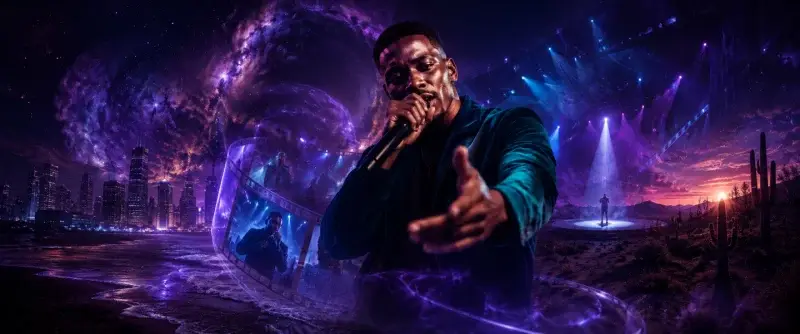
A quick promotional overview of songs and portrait-led music videos.

In this film: an idea becomes a song; a song and photo become a music video. A microphone, performer, and city scenes illustrate the journey.

Promotional film. On-screen messaging introduces making music and turning a song plus photo into a video.

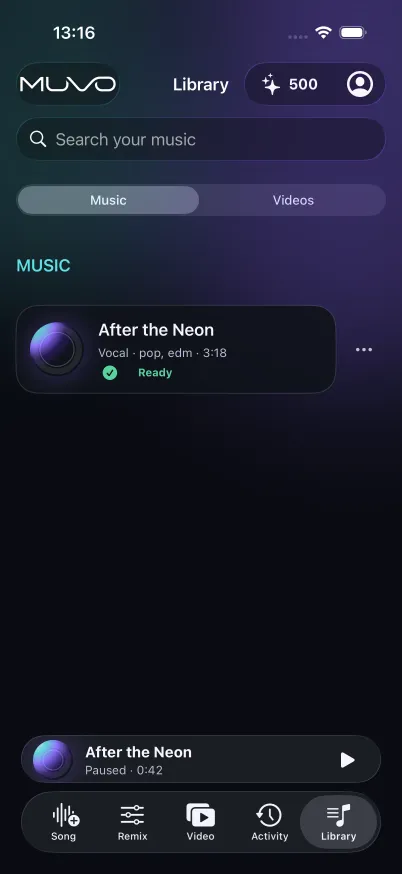
MUVO Library with completed songs and playback controls

KEEP THE GOOD ONES CLOSE

Made by you.
Ready for repeat.

Your Library is where finished songs, remixes, and videos come together.

Hear every word

Follow along with karaoke on supported vocal songs, or open the lyrics as you listen.

Take your songs with you

Download songs in the app for offline listening. Export audio as M4A or WAV, and share finished videos.

Keep the idea going

Start a remix or an eligible music video from a finished song. Your next version is a new beginning.

START WITH A FREE DRAFT

Create at your pace.

Explore an idea before you spend credits on bringing it to life.

Drafts are free. For paid creation, MUVO shows the credit cost before you confirm.

Choose one-time credit packs or an optional Creator subscription with recurring credits. Current prices and allowances are shown in the app.

How credits work

FIND YOUR CREATIVE FIT

Which AI music tool is right for you?

Compare MUVO, Suno, Udio, SOUNDRAW, AIVA, and Beatoven.ai by workflow, downloads, and usage rights. See where MUVO makes personal music creation simpler on iPhone and iPad.

Compare AI music generation tools

Ready to make something?

A FEW THINGS TO KNOW

Good questions.

A little clarity before your next idea.

What is MUVO?

MUVO is an AI music creation app for iPhone and iPad running iOS or iPadOS 18 or later. Create songs from ideas, remix permitted audio, and make portrait-led music videos for personal, noncommercial sharing.

Do I need to know how to make music?

You can start by describing a story, mood, or sound in your own words. Review the draft before generating, and explore more sound and remix controls when you want them.

Do I have to sign in with Apple to start?

No. MUVO starts with a guest account. You can link Apple in Account to help recover access. Guest access alone does not guarantee recovery after losing the device or app data.

How do credits and Creator work?

Drafts are free. Paid creation uses credits and requires your confirmation. Buy a one-time credit pack or choose an optional Creator subscription with recurring credits. Creator is not unlimited generation. Current prices and allowances are shown in the app.

Can I post what I make?

You can share generated outputs with friends or on personal, noncommercial social accounts, subject to the Terms and the destination’s rules. Paid plans do not include rights to monetize, advertise, sell outputs, or use them for business or client work.

Who can use MUVO?

MUVO is for adults aged 18 or older who have reached the age of legal majority where they live. AI creation requires an internet connection; features depend on the available actions in your app.

PLAY MORE. FEEL MORE.

See where your
next idea takes you.

Make a song. Find a new version. Bring it to life.

Download on theApp Store

For iPhone & iPad · iOS 18+ · Ages 18+